Understanding Smart Refrigerator Network Requirements and Security
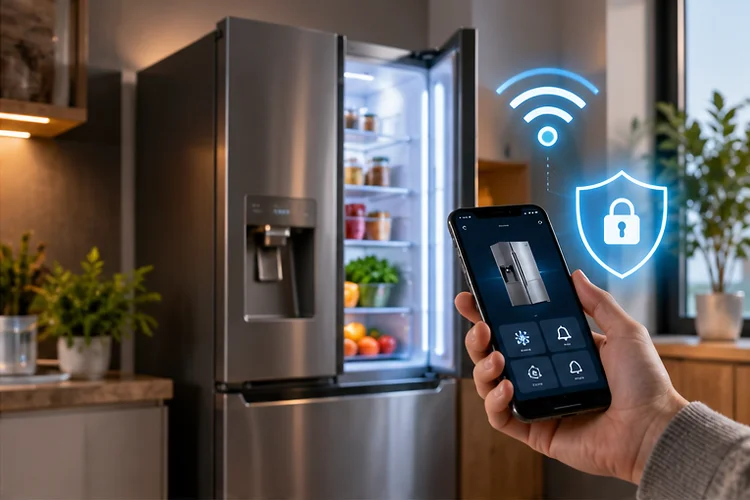
A traditional refrigerator only needs electricity to keep your food cold. A smart refrigerator adds another requirement: a reliable network connection.
That connection can power features such as temperature monitoring, door-open alerts, energy tracking, remote settings, software updates, diagnostics, and integration with a wider smart-home platform.
Understanding smart refrigerator network requirements and security becomes important because these appliances may remain in your home for ten years or more.
Unlike a phone that gets replaced every few years, a connected refrigerator could stay attached to the same network for a very long time.
Fortunately, smart refrigerators do not usually need huge amounts of bandwidth. What matters more is consistent Wi-Fi coverage, correct router settings, working internet access, and secure communication with the manufacturer’s cloud service.
Samsung, for example, requires Wi-Fi connectivity and an account for SmartThings-connected refrigerator features such as remote monitoring and control.
That means a refrigerator should be treated not just as an appliance, but also as a long-term IoT device on your home network.
Most Smart Refrigerators Do Not Need Fast Internet
A smart refrigerator is very different from a gaming PC or 4K streaming television.
Most of its network traffic consists of small status updates, commands, notifications, diagnostic information, and occasional software downloads.
You therefore do not need Gigabit Internet simply to connect a refrigerator.
A basic broadband connection is normally more than sufficient. What matters is whether the Wi-Fi signal remains stable where the refrigerator is installed.
Kitchen environments can actually make that challenging.
Refrigerators contain a lot of metal, and kitchens may include cabinets, concrete walls, microwave ovens, and other equipment that affects wireless signals.
If your router is several rooms away, the connection may become unreliable even though internet speed elsewhere in the house is excellent.
LG recommends keeping compatible ThinQ appliances within reasonable range of the router during setup and currently notes that its ThinQ appliances use 2.4 GHz Wi-Fi.
So before blaming the refrigerator, check whether the Wi-Fi signal is actually strong enough in the kitchen.
2.4 GHz Wi-Fi Is Still Important for Smart Appliances
One surprising limitation of many connected appliances is that they do not always support every Wi-Fi band your router provides.
Many smart-home products continue to rely on 2.4 GHz Wi-Fi.
The reason is practical. The 2.4 GHz band generally provides longer range and better wall penetration than higher frequencies, while the low bandwidth requirements of appliances make extreme wireless speed unnecessary.
LG states that appliances using its ThinQ platform support 2.4 GHz Wi-Fi during connection. Samsung also recommends 2.4 GHz for many of its appliances, although certain models such as some Family Hub products can have different capabilities.
That distinction matters when troubleshooting.
If your router is configured only for 5 GHz or 6 GHz, an older smart refrigerator may not even see the network.
Some routers combine 2.4 GHz and 5 GHz under one SSID using band steering. This works well in many homes, but older IoT equipment can occasionally have trouble during onboarding.
Temporarily creating or enabling a dedicated 2.4 GHz network can make initial setup easier.
Always check the requirements for your exact refrigerator model instead of assuming every smart appliance works the same way.
DHCP and DNS Still Matter Behind the Scenes
Once your refrigerator joins Wi-Fi, the router normally assigns it a local IP address through DHCP.
You usually never see this process.
The refrigerator receives an address such as 192.168.1.45, along with a default gateway and DNS information. It then uses those settings to reach the manufacturer’s online services.
If DHCP fails, the refrigerator may successfully detect your Wi-Fi network but still be unable to communicate.
DNS problems can produce similar symptoms.
The appliance may remain connected to the router but fail to resolve the cloud service’s domain names. To the user, the app may simply report that the refrigerator is “offline.”
This is why restarting a refrigerator does not always fix smart features.
If several smart devices suddenly stop reaching their cloud services at the same time, investigate the router, DNS configuration, or internet connection rather than troubleshooting every appliance seperately.
A smart refrigerator generally does not need a manually assigned static IP. If you want it to keep a predictable address, a DHCP reservation in the router is usually cleaner.
Cloud Access Powers Most Remote Features
A smart refrigerator normally communicates with more than your phone.
The appliance connects through your router to the manufacturer’s cloud platform.
Samsung’s SmartThings refrigerators, for instance, can provide features such as remote temperature controls, door notifications, energy information, and diagnostics through SmartThings.
That architecture explains why you can control a refrigerator when you are away from home.
Your phone does not need to establish a direct wireless connection all the way back to your kitchen. Instead, both the refrigerator and mobile application communicate through online services associated with your account.
This also creates an important distinction between refrigeration functions and smart functions.
Losing internet connectivity should not normally stop the appliance from performing its fundamental job of keeping food cold. However, remote notifications, cloud analytics, energy tracking, diagnostics, and app-based controls may become unavailable.
That makes cloud reliability part of the user experience, even when the physical refrigerator itself is working perfectly.
Firmware Updates Are a Security Requirement, Not Just a Bonus
A smart refrigerator contains embedded software.
Like any connected computer, that software can have bugs and security weaknesses.
Firmware updates allow manufacturers to correct problems, improve compatibility, and patch vulnerabilities after an appliance has already been installed.
NIST recommends that consumer IoT products include security capabilities appropriate to their lifecycle, including mechanisms related to software updates and secure device management.
This becomes particularly important for refrigerators because they can stay in service for many years.
A laptop from ten years ago might already have been replaced. Your refrigerator from the same period could still be running every day.
Check whether your refrigerator supports automatic updates and keep its companion app current.
NIST’s smart-home security guidance also recommends enabling automatic updates when available and reconsidering devices that are old enough to no longer receive security support.
Long-term software support should therefore be part of the buying decision, not something you think about five years later.
Put Smart Appliances on a Separate IoT Network
One smart refrigerator is unlikely to generate much network traffic.
Security is the bigger reason to think about where it sits on your network.
Your refrigerator does not necessarily need unrestricted access to the same devices as your personal computer, NAS, or work laptop.
If your router offers an IoT network, separate VLAN, or properly isolated guest network, consider placing smart appliances there.
NIST specifically recommends network segmentation as a smart-home security practice because separating IoT equipment can limit what a compromised device can reach.
For example, your refrigerator may need:
- Internet access to its cloud platform
- DNS and DHCP access
- Communication with approved local smart-home systems
It probably does not need open access to every file-sharing service on your desktop computer.
However, be careful with isolation settings.
Some SmartThings, Matter, casting, or local-discovery features may require devices on your phone and appliance networks to communicate. Overly strict isolation can make smart-home functions stop working.
A dedicated IoT network with controlled local communication is generally better than blindly blocking everything.
Use Strong Wi-Fi and Account Security
The refrigerator itself is only one part of the security picture.
Your router and cloud account matter too.
Use WPA2 or WPA3 security rather than obsolete standards such as WEP. Protect your router administration interface with a unique password and keep router firmware updated.
Your smart-home account should also use a strong, unique password.
If the provider offers multi-factor authentication, enabling it adds protection against someone obtaining your password and attempting to access connected devices remotely.
NIST’s consumer IoT guidance emphasizes cybersecurity capabilities across the entire IoT product—not merely the physical device. A connected product can include the appliance, companion applications, cloud services, and supporting network components.
This is an important concept.
A refrigerator can have secure firmware but still be exposed if the cloud account protecting it uses a weak reused password.
The whole ecosystem needs to be considered.
Privacy Deserves Attention Too
Smart refrigerators can potentially process more data than users expect.
Depending on the model, that may include energy usage, device status, settings, diagnostic information, account data, or information related to advanced features such as internal cameras.
Before enabling every cloud feature, check what data the manufacturer says it collects and how that information is used.
You may decide that some features are valuable while others are unnecessary.
For example, remote door-open notifications may be genuinely useful. A feature you never use may not need to remain enabled simply because it exists.
Privacy controls differ by manufacturer and region, so check the current privacy settings inside the companion app rather than relying entirely on default settings.
This becomes especially important with advanced refrigerators that include microphones, cameras, screens, voice assistants, or broader smart-home control capabilities.
Smart convenience should be intentional, not automatic.
What Happens If the Wi-Fi Goes Down?
A smart refrigerator should still be a refrigerator when the internet disappears.
Cooling systems, temperature regulation, physical controls, and essential appliance functions should operate independently from cloud connectivity.
What you lose are typically the connected features.
You might stop receiving door alerts, lose remote temperature control, or see the refrigerator reported as offline in its smartphone app.
If the refrigerator does not reconnect automatically after your network returns, first check whether the SSID or Wi-Fi password changed.
Smart appliances store network credentials. Changing your router name or password means the refrigerator may need to be connected again.
Samsung’s setup documentation also highlights weak signal, incorrect passwords, unsupported Wi-Fi bands, and firmware issues as possible causes when a refrigerator cannot reconnect or register correctly.
If several IoT devices disconnect together, troubleshoot the network before factory-resetting the refrigerator.
A smart refrigerator does not need an extremely fast internet connection, but it does need reliable networking.
Stable Wi-Fi coverage, compatible frequency bands, working DHCP and DNS, and access to the manufacturer’s cloud services are what allow remote monitoring, notifications, diagnostics, and other connected features to operate.
Security deserves just as much attention. Keep appliance and router firmare updated, use strong Wi-Fi and account passwords, enable multi-factor authentication when available, and consider placing smart appliances on a separate IoT network.
Before buying a connected refrigerator, check more than its storage capacity and cooling features. Review its Wi-Fi requirements, software-support policy, cloud dependencies, and privacy controls too.
A refrigerator may stay in your kitchen for a decade, so its network and security requirements should be designed for the long term.