How Smart Appliances Manage Wi-Fi Connectivity and Cloud Services
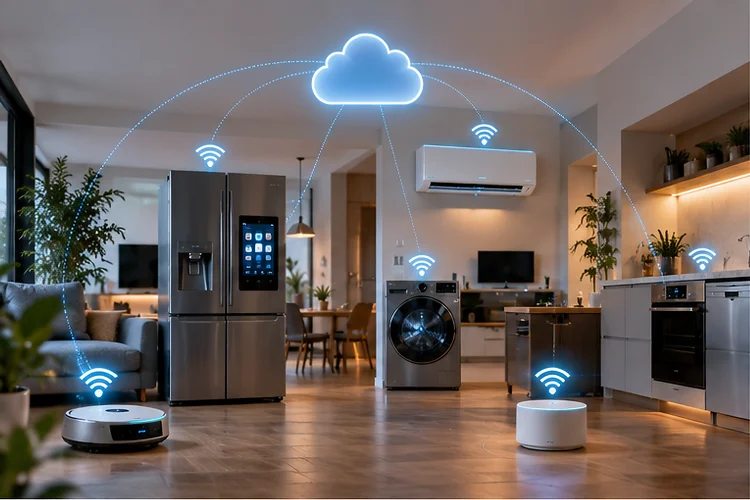
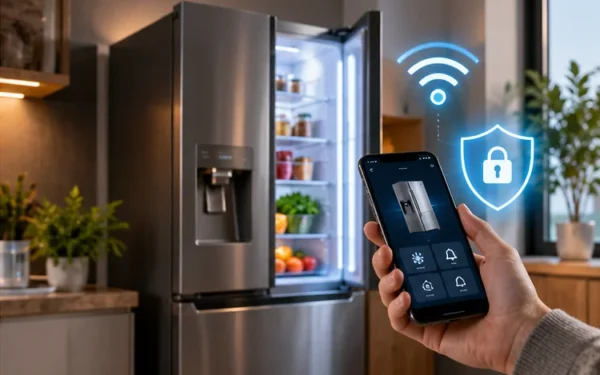
A modern refrigerator can warn you when a door is left open. An air conditioner can be switched on before you arrive home, and a washing machine can send a notification when a cycle finishes.
Behind those convenient features is a surprisingly complex network system.
Understanding how smart appliances manage Wi-Fi connectivity and cloud services helps explain why these devices sometimes behave differently from laptops or smartphones.
A smart appliance normally needs to join your local wireless network, authenticate with the manufacturer’s platform, maintain a cloud connection, exchange small amounts of status data, and occasionally download software updates.
Most of this happens quietly in the background.
Platforms such as Samsung SmartThings allow compatible appliances to be registered through a mobile app and then monitored or controlled through connected services. Cloud IoT platforms can similarly provide secure bidirectional communication between devices and remote services.
The result feels simple to the user, but several networking layers have to work correctly for that simplicity to happen.
How a Smart Appliance First Connects to Wi-Fi
Before an appliance can talk to the cloud, it has to join your home network.
This process is commonly called onboarding or provisioning.
When you set up a smart air conditioner or refrigerator, the appliance may temporarily create its own wireless access point or enter a pairing mode. Your smartphone connects to or discovers the appliance and transfers information such as your home Wi-Fi network name and credentials.
Samsung’s SmartThings setup process, for example, can register appliances through QR codes, nearby-device discovery, or manual device selection. Some appliances are placed into an AP mode during registration so the phone and appliance can communicate during setup.
Once the appliance receives your Wi-Fi information, it leaves setup mode and tries to connect to the normal home network.
From that point, your router usually assigns it a local IP address using DHCP.
Many appliances still rely heavily on 2.4 GHz Wi-Fi because it offers better range through walls and is widely supported by low-cost IoT chipsets.
That can create setup confusion when a phone is on 5 GHz while the appliance only supports 2.4 GHz, although modern onboarding systems often handle this more gracefully.
The important part is that initial Wi-Fi setup and normal cloud operation are seperate stages.
What Happens After the Appliance Gets Online?
Getting an IP address does not automatically make the appliance “smart.”
The device usually needs to establish a secure connection with the manufacturer’s cloud platform.
Cloud IoT systems commonly use protocols such as MQTT or HTTPS for this communication.
AWS IoT Core, for example, supports secure bidirectional communication for connected devices, including smart appliances, and its device SDKs support protocols such as MQTT and WebSocket connections.
MQTT is especially useful for IoT because devices can publish and subscribe to small messages without constantly downloading large amounts of information.
Imagine a connected washing machine.
It might publish a status message saying:
Cycle: Completed
The cloud service receives that update and can then notify the manufacturer’s smartphone app.
The process works in the opposite direction too. If you change a setting through the app, the cloud platform can send a command back toward the appliance.
This architecture allows you to interact with equipment even when your phone is not connected to the same Wi-Fi network.
Why Smart Appliances Depend on Cloud Services
Cloud connectivity gives manufacturers much more flexibility than a purely local connection.
A cloud platform can store device state, manage accounts, send notifications, coordinate automations, monitor connectivity, and provide remote access.
Samsung, for instance, describes SmartThings as a platform that allows users to monitor and control registered smart appliances and IoT devices through connected services, including while they are away from home.
Another common cloud concept is a device shadow or digital representation of an appliance.
Instead of requiring your phone to communicate directly with the refrigerator every time you open the app, the cloud can maintain information about the device’s latest known state.
AWS IoT provides a Device Shadow system that stores device state information separately from the physical device connection.
That becomes useful when the appliance temporarily goes offline.
Your app can still display the last known state, while a new command may be delivered or synchronized once the appliance reconnects, depending on how the service is designed.
This is one reason smart-home applications can sometimes display information even when the actual appliance has momentarily lost Wi-Fi.
How Appliances Handle Temporary Wi-Fi Disconnections
Home Wi-Fi is not perfectly stable.
Routers reboot, channels change, internet connections fail, and wireless interference happens.
A well-designed smart appliance therefore needs a reconnection strategy.
If Wi-Fi disappears briefly, the appliance will normally continue performing its primary physical function. Your refrigerator should keep cooling food, and your washing machine should not stop washing clothes just because the internet is unavailable.
The connected features are what suffer.
Remote monitoring may disappear, cloud notifications may stop, and commands from your mobile app may fail until connectivity returns.
IoT platforms also need ways to determine whether devices are currently online. AWS notes that monitoring device connectivity, detecting disconnections, and understanding connection trends are fundamental challenges in IoT deployments.
Many appliances automatically attempt to reconnect to the stored Wi-Fi network after an outage.
If your Wi-Fi password or SSID changes, however, the appliance may need to be provisioned again because its saved credentials are no longer valid.
That is why changing a home network name can result in an evening spent reconnecting every smart bulb, camera, appliance, and sensor in the house.
Local Control Can Reduce Cloud Dependence
Not every smart-home action needs to travel across the internet.
Modern standards increasingly support local communication between devices.
Matter, for example, emphasizes reliable and responsive local connectivity while improving interoperability between compatible smart-home products from different manufacturers.
Local control has several advantages.
If two devices can communicate inside your home network, a command may continue working even when the internet connection is unavailable. Local traffic can also reduce unnecessary round trips to distant cloud servers.
This can make automations feel faster.
For example, a local motion sensor triggering a compatible light does not necessarily need to send a message to a remote data center and wait for another message to come back.
However, local connectivity does not mean cloud services disappear entirely.
Manufacturers may still use cloud infrastructure for account management, remote access, notifications, analytics, backups, integrations, and software distribution.
The future smart home is therefore likely to use a mixture of local and cloud communication rather than relying entirely on one or the other.
Firmware Updates Are a Major Part of Cloud Connectivity
A smart appliance is essentially an embedded computer attached to a physical machine.
Its software can contain bugs and security vulnerabilities just like software on phones and laptops.
That makes firmware updates important.
Cloud connectivity gives manufacturers a practical way to distribute updates remotely instead of asking users to connect a USB drive or schedule a technician.
NIST identifies software-update capability as an important part of IoT security because updates can fix vulnerabilities while improving device reliability, performance, and availability.
The update process usually needs several protections.
A device should be able to verify that an update actually comes from a trusted manufacturer. It also needs to avoid becoming unusable if power or connectivity disappears halfway through an installation.
NIST research has additionally found that users can be confused about whether smart-home updates have actually been installed and why those updates matter for security.
For consumers, the practical advice is straightforward: keep automatic updates enabled when the manufacturer offers a reliable update mechanism.
A smart refrigerator may last far longer than a smartphone, so long-term software support becomes increasingly important.
Security Matters Because Appliances Stay Connected for Years
Smart appliances create a different security challenge from ordinary gadgets.
People may replace a phone every few years, but a refrigerator, washing machine, or air conditioner could remain in service for a decade.
During that time, the device may remain connected to the same home network.
NIST’s updated IoT guidance emphasizes that manufacturers should consider cybersecurity throughout the entire product lifecycle, including maintenance, support, and eventual end-of-life.
That means good smart appliances should use secure authentication, protected communications, controlled software updates, and sensible access restrictions.
Network design matters too.
Separating less-trusted IoT equipment from computers containing important personal files can reduce risk. Some modern routers offer dedicated IoT networks or guest-network isolation for this purpose.
NIST has also demonstrated approaches that restrict IoT devices so they can communicate only with services required for their intended function. This can reduce the potential impact if a device is compromised.
The goal is not to make smart appliances impossible to reach.
It is to give them access to what they actually need without unnecessarily exposing everything else on your home network.
Why Some Appliances Work When the Cloud Is Down – and Others Do Not
Cloud dependence varies dramatically between manufacturers and product categories.
Some appliances perform almost every important function locally and use the cloud mainly for remote monitoring.
Others depend more heavily on external servers for automations, account authentication, or advanced features.
That difference becomes obvious during an internet outage.
A smart oven should still operate through its physical controls, but you may lose remote preheating. A connected air conditioner may still respond to its infrared remote while smartphone control becomes unavailable.
Cloud outages can create similar symptoms even when your home internet works perfectly.
Your router may be online, and the appliance may have excellent Wi-Fi signal strength, yet the manufacturer’s app reports that the appliance is offline because the remote service itself is unavailable.
This is why troubleshooting should separate three layers:
Appliance → Home Wi-Fi → Cloud Service
Testing those layers individually helps determine where the failure actually occurs.
If the appliance responds locally but not from outside your home, cloud connectivity becomes the stronger suspect.
What Homeowners Can Do for More Reliable Smart Appliances
You do not need enterprise networking hardware to keep smart appliances stable.
Start with good Wi-Fi coverage.
Appliances such as washing machines, refrigerators, ovens, and outdoor equipment often sit in locations where signals are weakened by walls, metal surfaces, cabinets, or distance from the router.
A mesh system or additional access point may help if signal quality is poor.
Avoid changing your SSID and password frequently because every device storing the old credentials may need to be reconfigured.
Keep router firmware and appliance software updated, and use WPA2 or WPA3 rather than obsolete security settings.
If your router offers an IoT network, consider using it for smart equipment, provided the isolation settings do not prevent features that require local communication.
Finally, remember that more bandwidth is not always the answer.
Most smart appliances send relatively small amounts of data. Reliable coverage, stable DNS, correct DHCP operation, and dependable cloud conectivity matter much more than having a multi-gigabit internet plan.
Smart appliances rely on several layers working together.
First, the appliance joins your Wi-Fi network and receives local network configuration. It then establishes a secure connection with the manufacturer’s cloud service, where status information, remote commands, notifications, and sometimes device-state data can be exchanged.
Local protocols can reduce cloud dependence, while firmware-update systems help manufacturers maintain security and reliability over the device’s long life.
When something fails, remember the three basic layers: the appliance, your home network, and the cloud platform.
If you are building a smarter home, focus on stable Wi-Fi coverage, secure network settings, regular updates, and products with clear long-term support. Those factors usually matter far more than flashy specifications on the appliance box.