Best Router Features for Low-Latency Gaming and Video Streaming

A 2 Gbps internet connection sounds amazing, but it does not automatically guarantee smooth gaming or flawless 4K streaming. You can still experience lag spikes, buffering, or delayed voice chat if your router handles traffic poorly.
That is because gaming and streaming depend on more than bandwidth.
Online games usually use relatively little data compared with video streaming, but they are extremely sensitive to latency, jitter, and packet loss.
Streaming services care more about consistent throughput, especially when several televisions or devices are watching high-resolution video at the same time.
This is why understanding the best router features for low-latency gaming and video streaming is more useful than simply buying the router with the largest Mbps number.
Features such as intelligent QoS, efficient Wi-Fi scheduling, multi-gig Ethernet, modern wireless standards, and proper traffic management can make a busy home network feel significantly more responsive.
The goal is simple: keep important traffic moving quickly even when everyone else is using the internet.
Quality of Service Should Be Near the Top of Your List
Quality of Service, usually called QoS, is one of the most useful router features for a busy gaming and streaming household.
QoS allows the router to give certain traffic higher priority.
For example, imagine someone is downloading a 100 GB game while another person is playing an online shooter and someone else is watching a 4K movie. Without good traffic management, the large download can fill available bandwidth and create delays for everything else.
A properly configured QoS system can give interactive gaming traffic or real-time video higher priority while allowing large downloads to use leftover capacity.
Cisco describes QoS as a way to provide priority, controlled latency and jitter, and improved handling for applications such as voice and video.
Some consumer routers call this Adaptive QoS, Dynamic QoS, Game Priority, or Traffic Prioritization.
The name matters less than how well it works.
Look for a router that lets you prioritize devices or application categories without requiring complicated manual rules.
Smart Queue Management Helps Fight Bufferbloat
Traditional QoS is useful, but serious latency-sensitive users should also pay attention to queue management.
One major cause of lag is bufferbloat.
Bufferbloat happens when a router or another network device keeps too many packets waiting in a queue. When the internet connection becomes saturated, those packets can sit around long enough to create noticeable latency.
The IETF describes bufferbloat as excessive buffering that causes packets to experience unnecessary delay, particularly when a network connection is operating near full capacity. Modern queue-management approaches can reduce that problem.
This is where features such as SQM, FQ-CoDel, or CAKE can be especially useful.
Not every consumer router advertises these technologies directly, but routers with advanced queue management can maintain much lower latency while uploads and downloads are running.
For gaming, that can be more valuable than another few hundred megabits of maximum speed.
If your ping jumps dramatically whenever someone uploads photos or starts a large download, bufferbloat may be part of the problem.
Ethernet Still Gives Gaming Devices an Advantage
Wi-Fi has improved enormously, but Ethernet remains difficult to beat for predictable latency.
A wired connection avoids many problems associated with wireless interference, signal strength, channel congestion, and competing clients.
For a stationary gaming PC or console located near the router, Ethernet should usually be your first choice.
Gigabit Ethernet is enough for almost any gaming workload because online games do not require gigabits of continuous bandwidth. However, multi-gig ports are becoming more useful for high-end PCs, NAS systems, local game transfers, and households with internet plans above 1 Gbps.
A router with 2.5G Ethernet can also prevent the wired side of your network from becoming a bottleneck.
Do not confuse bandwidth with ping, though.
Connecting your gaming PC to a 10G Ethernet port will not magically reduce a 40 ms internet route to 5 ms. What Ethernet does is remove unnecessary wireless variability inside your own home network.
That consistency is what matters.
Wi-Fi 6 OFDMA Can Reduce Wireless Waiting
If Ethernet is not practical, Wi-Fi 6 or newer should be high on your list.
One important feature introduced with Wi-Fi 6 is OFDMA, or Orthogonal Frequency Division Multiple Access.
Older Wi-Fi systems generally spend more time giving individual clients access to wireless resources. OFDMA divides a channel into smaller Resource Units so multiple compatible devices can be served more efficiently.
Cisco explains that OFDMA improves airtime efficiency and can provide more regular packet delivery, helping reduce the time users wait for wireless access.
That is useful in a household where many devices are active simultaneously.
Imagine a gaming laptop, two streaming televisions, smartphones, security cameras, smart speakers, and IoT equipment all communicating over Wi-Fi.
Efficient scheduling reduces unnecessary waiting between clients.
Wi-Fi 6 also includes technologies such as MU-MIMO and BSS Coloring, which further improve performace when multiple devices and neighboring networks compete for airtime.
Wi-Fi 7 Adds Features for Even Lower-Latency Wireless
Wi-Fi 6 is already excellent for gaming and streaming, but Wi-Fi 7 introduces additional capabilities aimed at high-performance applications.
The most interesting is Multi-Link Operation, or MLO.
MLO allows compatible Wi-Fi 7 equipment to use multiple wireless links instead of relying on only one connection path. Depending on the client and implementation, this can improve reliability, throughput, or latency.
Wi-Fi 7 also supports wider 320 MHz channels, 4096-QAM, enhanced OFDMA, and Multi-RU operation.
Cisco lists MLO, 320 MHz channels, 4K-QAM, and enhanced OFDMA among Wi-Fi 7 features designed to improve performance for demanding and latency-sensitive applications.
Does that mean every gamer needs Wi-Fi 7?
Not necessarily.
If you already have a stable wired connection or a good Wi-Fi 6 network, moving to Wi-Fi 7 may not dramatically reduce your internet ping.
It becomes more appealing when several high-performance wireless devices share the network, especially with multi-gig internet.
Client compatibility is also important. Your laptop, phone, or gaming device must support the relevant Wi-Fi 7 features before it can fully benefit.
Dual-Band vs Tri-Band Routers Can Make a Difference
The number of wireless bands can matter in a busy household.
A typical dual-band router uses 2.4 GHz and 5 GHz.
The 2.4 GHz band provides longer range but is usually more congested. The 5 GHz band provides higher speeds and more bandwidth but has shorter practical range.
Modern tri-band routers may add another 5 GHz band or a 6 GHz band.
That extra capacity can be useful when many demanding devices are active at once.
For example, you could keep IoT devices and smart-home equipment on 2.4 GHz while gaming PCs, consoles, streaming devices, and laptops use 5 GHz or 6 GHz.
Wi-Fi 6E and Wi-Fi 7 also benefit from access to 6 GHz spectrum in regions where it is available.
Cisco notes that the 6 GHz band provides additional wireless spectrum and cleaner channels without older legacy Wi-Fi clients occupying the same frequencies.
For gaming, cleaner spectrum can reduce interference.
For streaming, it can provide more room for multiple high-bandwidth connections.
Good Mesh Backhaul Matters in Larger Homes
A fast router is not enough if your gaming room is two floors away.
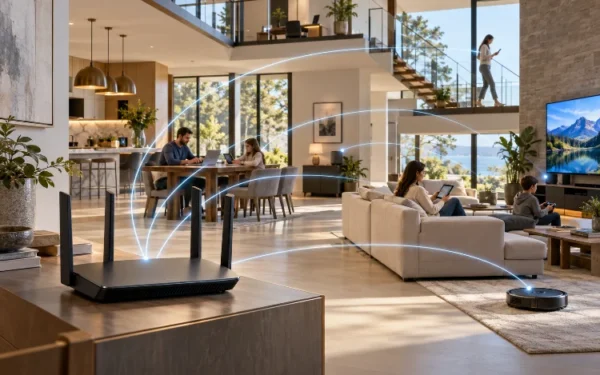
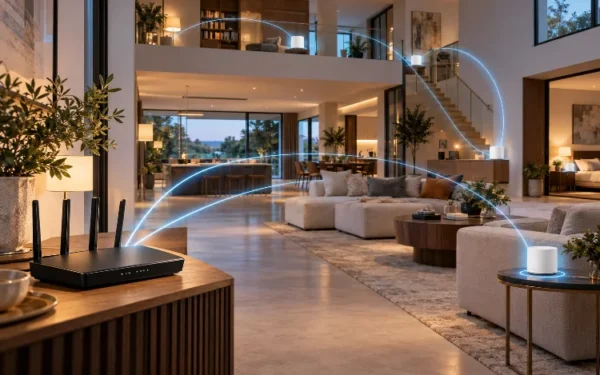
For large homes, mesh Wi-Fi can provide better coverage by placing several access points around the property.
However, not every mesh setup performs equally well.
The connection between mesh nodes is called backhaul.
If the backhaul becomes congested, your device may show a strong Wi-Fi signal while actual internet performace remains disappointing.
Ethernet backhaul is usually the most predictable option. Connecting mesh nodes with Ethernet keeps inter-node traffic off the wireless spectrum.
If wired backhaul is impossible, consider a tri-band or Wi-Fi 7 mesh system with enough wireless capacity for both clients and node-to-node communication.
Placement matters too.
Do not place a mesh satellite deep inside a dead zone. It still needs a good connection to another node before it can provide fast service to nearby devices.
For a gaming PC, wired Ethernet from a nearby mesh node can sometimes provide a more consistant experience than connecting the PC directly over Wi-Fi.
A Powerful CPU and Good Firmware Are Easy to Overlook
Router hardware specifications often focus on wireless speeds, but processing power matters too.
Your router has to manage NAT, firewall rules, QoS, security features, VPN traffic, device prioritizaton, and potentially dozens of simultaneous connections.
Cheap hardware may struggle when several advanced functions are enabled at once.
This becomes more important with Gigabit and multi-gigabit internet.
Look for routers with a good reputation for firmware stability and long-term security updates rather than choosing entirely based on theoretical wireless speed.
Useful software features include automatic firmware updates, device prioritization, traffic monitoring, guest networks, parental controls, and straightforward QoS configuration.
Gamers should also avoid assuming that a router covered in RGB lighting is automatically better.
A stable mainstream router with excellent queue management and reliable firmware can easily provide a better gaming experience than an expensive “gaming” model with poor traffic handling.
What Features Should You Prioritize?
The best router depends on how your household uses the network.
For competitive gaming, focus first on low latency, good queue management, Ethernet connectivity, QoS, and stable firmware.
For households primarily streaming video, strong coverage, sufficient wireless capacity, and reliable 5 GHz or 6 GHz connectivity matter more.
If you do both, look for balance.
A modern Wi-Fi 6 or Wi-Fi 7 router with OFDMA, MU-MIMO, QoS, at least Gigabit Ethernet, and good traffic management is a strong starting point.
For multi-gig internet, add 2.5G or 10G Ethernet to your checklist.
For large homes, mesh support and good backhaul become equally important.
The best feature is not the one with the biggest number on the box. It is the feature that prevents your particular network from becoming the bottleneck.
Low-latency gaming and smooth video streaming depend on much more than raw internet speed.
A good router should manage traffic intelligently, keep network queues under control, provide stable wired and wireless connections, and handle multiple active devices without creating unnecessary delays.
QoS and smart queue management can protect latency during heavy traffic, while Ethernet provides the most predictable connection for gaming.
Wi-Fi 6 adds OFDMA and improved multi-user efficiency, while Wi-Fi 7 introduces MLO and additional capacity for demanding wireless networks.
Before buying your next router, think about where lag actually occurs in your home.
Choose features that solve your real bottlenecks, and you will usually get a better experience than simply purchasing the router with the highest advertised speed.