How Connected Air Conditioners Integrate With Home Automation
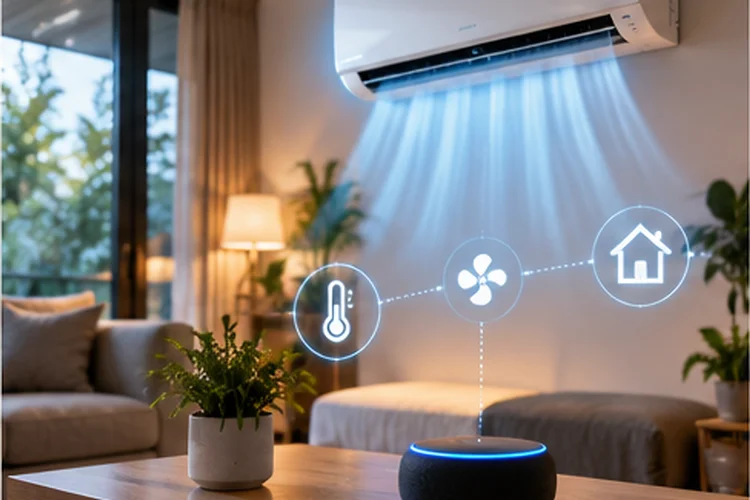
Turning an air conditioner on with your phone is convenient, but that is only the beginning of what a connected AC can do.
Modern connected air conditioners can work with mobile apps, cloud platforms, smart speakers, temperature sensors, schedules, and automated routines.
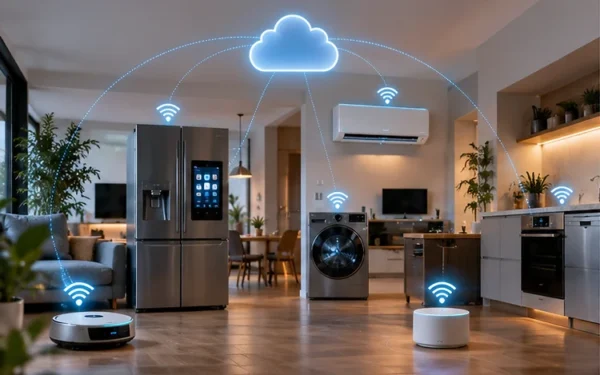
Instead of operating as an isolated appliance, the AC can become part of a larger system that responds to what is happening around your home.
Understanding how connected air conditioners integrate with home automation helps explain why Wi-Fi reliability and platform compatibility matter almost as much as cooling capacity.
For example, an AC might automatically lower its temperature before you arrive home, reduce cooling when nobody is present, or turn off when a window sensor detects that a window has been opened.
Platforms such as Samsung SmartThings allow compatible air conditioners to be registered, monitored, and controlled remotely, including temperature and airflow settings. LG ThinQ also supports integrations with platforms such as Google Home and Amazon Alexa for compatible appliances.
Wi-Fi Is Usually the Starting Point
Most connected air conditioners begin by joining your home Wi-Fi network.
During initial setup, the manufacturer’s mobile app typically helps transfer your network credentials to the AC. Some models temporarily create their own access point so your phone can communicate directly with them during pairing.
Samsung’s current SmartThings setup guidance, for example, instructs users to place compatible air conditioners into pairing mode before providing Wi-Fi information through the app. It also specifies a 2.4 GHz connection during setup for supported models.
Once connected, your router assigns the AC an IP address, usually through DHCP.
From there, the air conditioner can access the internet and communicate with the manufacturer’s online platform.
The AC itself does not normally need huge bandwidth. Status updates, commands, temperature data, and notifications are tiny compared with streaming video.
What matters more is reliable coverage.
If the indoor unit is located several rooms away from the router, behind concrete walls, or in an area with poor signal strength, remote controls and automations may become unreliable even when your internet plan is extremely fast.
Cloud Services Make Remote Control Possible
When you adjust an AC while sitting in the same room, it may feel like your phone is talking directly to the appliance.
Often, the communication path is longer.
Your phone sends a command to the manufacturer’s cloud platform. That service identifies your registered AC and forwards the appropriate instruction through the internet to your home network.
This cloud-based design makes remote access possible.
You could be at work, open your smart-home app, and switch on the AC before driving home.
Samsung SmartThings allows compatible room air conditioners to expose controls such as temperature, fan operation, and energy-related information through the app.
Cloud services can also synchronize multiple users, store appliance settings, deliver notifications, and coordinate devices from different locations.
The downside is dependence on several systems.
Your Wi-Fi could be working perfectly while the manufacturer’s cloud service is temporarily unavailable. In that situation, physical controls may still work while remote automation does not.
It helps to think of the connection as three seperate layers:
Air Conditioner → Home Network → Cloud Platform
Knowing which layer has failed makes troubleshooting much easier.
Scheduling Is the Simplest Form of AC Automation
You do not need dozens of smart devices to benefit from home automation.
A basic schedule can already make a connected AC much more useful.
For example, you might automatically cool the bedroom to 24°C at 9:30 p.m. and turn the system off at 6:30 a.m.
A home office could be cooled only during working hours.
This can reduce the temptation to leave the AC running all day simply because you might forget to turn it off.
Smart schedules can also change depending on the day of the week.
A weekday routine may be completely different from what you want on Saturday or Sunday.
The advantage of app-based scheduling is flexibility. Instead of relying entirely on a timer built into the remote control, schedules can become part of broader smart-home scenes.
A “Good Night” scene might turn off the living-room lights, lock compatible doors, lower blinds, and adjust the bedroom AC with one command.
Sensors Can Make Cooling Much Smarter
Automation becomes more interesting when the AC reacts to sensors instead of following only a fixed clock.
A temperature sensor in another part of the room can trigger cooling once the temperature passes a threshold.
A presence sensor could reduce cooling after a room has been empty for a certain period.
Window and door sensors can also help.
There is little value in aggressively cooling a room while a large window is wide open. An automation could temporarily switch off the AC and turn it back on once the window closes.
Matter has been expanding standardized smart-home device models, including HVAC-related equipment. The Matter 1.3 Device Library includes a dedicated Room Air Conditioner device type with thermostat and fan-control functionality defined within the standard.
Certified Matter air conditioners are also appearing in the Connectivity Standards Alliance product database, showing that standardized AC integration is moving beyond theory into real products.
This type of interoperability could make sensor-based automation easier across products from different brands.
Voice Assistants Add a Convenient Control Layer
Sometimes automation does not need to be fully automatic.
Voice control sits somewhere between manually opening an app and letting the smart home make every decision.
A connected AC linked to a compatible ecosystem may respond to commands such as:
“Turn on the bedroom air conditioner.”
“Set the living room to 24 degrees.”
“Turn off the AC.”
LG’s ThinQ platform currently provides integration instructions for both Google Home and Amazon Alexa, allowing compatible appliances to be linked through the user’s ThinQ account.
This can be especially convenient when your hands are busy or your phone is somewhere else.
Voice assistants can also trigger routines rather than individual devices.
Saying “Good night” might adjust several connected products at once.
Still, exact functionality varies by AC model, manufacturer, region, and smart-home ecosystem. Always check the supported commands before buying an air conditioner primarily for voice control.
Geofencing Can Automate Cooling Around Your Routine
One of the more practical automations involves location.
With permission, a smart-home platform can use the location of your phone to determine whether you are approaching or leaving home.
That opens the door to geofencing.
Imagine leaving work on a hot afternoon. Once your phone enters a defined area near home, an automation switches on the AC.
By the time you arrive, the room is already comfortable.
The reverse can also work.
When everyone leaves the house, the automation can raise the temperature or turn the AC off.
This type of automation can be more flexible than a fixed schedule because your daily routine does not always happen at exactly the same time.
However, location automations depend on the phone, app permissions, background processing, and cloud conectivity working reliably.
In households with several people, routines should also check whether anyone is still home before shutting down cooling automatically.
Otherwise, the system could save energy by making somebody else extremely uncomfortable.
Matter Could Reduce Smart-Home Compatibility Problems
Historically, smart appliances have often worked best inside their manufacturer’s own ecosystem.
That can create frustrating combinations.
Your lights might use one app, your thermostat another, and your AC a third.
Matter is designed to improve interoperability between smart-home ecosystems and devices.
The Connectivity Standards Alliance has defined HVAC device types in Matter, including a specific Room Air Conditioner model in newer versions of the specification.
There are already certified air-conditioning products using Matter over Wi-Fi and Bluetooth commissioning.
That does not mean every smart AC suddenly supports every platform.
The AC itself still needs Matter support, and feature availability can differ between ecosystems.
But the long-term direction is useful.
Instead of manufacturers building completely seperate integrations for every smart-home platform, standardized device models can make basic functions such as temperature control, fan settings, and automation easier to expose consistently.
When buying a new connected AC, checking its ecosystem support can therefore be almost as important as checking its cooling specifications.
Home Automation Can Help With Energy Management
Air conditioning can represent a significant part of household energy use in warm climates.
Automation does not magically make an inefficient AC efficient, but it can reduce unnecessary operation.
A connected system could increase the set temperature when everyone leaves home, prevent the AC from running in an unused room, or automatically switch between comfort and energy-saving routines.
Some manufacturer platforms also expose energy monitoring information.
Samsung’s SmartThings interface for compatible room air conditioners includes energy-related monitoring features alongside temperature and airflow controls.
This data can help users understand how their behavior affects electricity consumption.
The key is creating sensible rules.
An automation that constantly changes temperature every few minutes may provide little benefit and could create an uncomfortable enviroment.
Simple routines are often better: reduce cooling when away, avoid extreme temperature settings, and pre-cool rooms only when needed.
Security Should Be Part of the Setup
A connected AC is also an IoT device sitting on your home network.
That means security deserves attention.
Use strong Wi-Fi security, keep your router updated, and install firmware updates for the appliance when the manufacturer provides them.
Smart-home accounts should use unique passwords and multi-factor authentication where available.
Network segmentation can provide another layer of protection.
If your router supports a dedicated IoT network or VLAN, smart appliances can potentially be separated from laptops, NAS devices, and computers holding sensitive data.
NIST notes that home IoT devices depend heavily on consumer routers for internet connectivity, making router security important to the overall security and availability of the smart-home network.
NIST has also explored restricting IoT devices to only the network communications required for their intended functions, reducing unnecessary exposure to network-based attacks.
Just make sure network isolation does not block local discovery required by your automation platform.
What Happens When the Internet Goes Down?
A connected air conditioner should still cool your room when the internet disappears.
Physical controls and the traditional remote should normally remain available because the appliance’s fundamental cooling system does not need a cloud server to operate.
What you may lose are the smart features.
Remote app control, cloud automations, energy dashboards, notifications, and voice-assistant commands can stop working until connectivity returns.
Some ecosystems can perform certain automations locally, while others rely more heavily on cloud processing.
That difference is worth considering before building critical routines around your AC.
For basic comfort, always make sure you understand what functions remain available offline.
A smart home should add convenience without making ordinary appliance operation dependent on perfect internet access.
Connected air conditioners become much more useful when they operate as part of a wider home-automation system rather than as isolated Wi-Fi appliances.
Wi-Fi and cloud services provide remote access, while schedules, sensors, geofencing, voice assistants, and smart scenes allow the AC to respond to your routine automatically. Matter is also improving the potential for cross-brand interoperability.
The best setup does not need to be complicated.
Start with reliable Wi-Fi, connect the AC to the ecosystem you already use, and create a few practical automations around occupancy, temperature, and daily routines. Keep firmware and router security updated as well.
If you are choosing a new smart AC, look beyond cooling capacity. Check its automation support, offline behavior, interoperability, and long-term software support before making the final decision.