Evaluating Wi-Fi Reliability for Cloud-Connected Kitchen Appliances
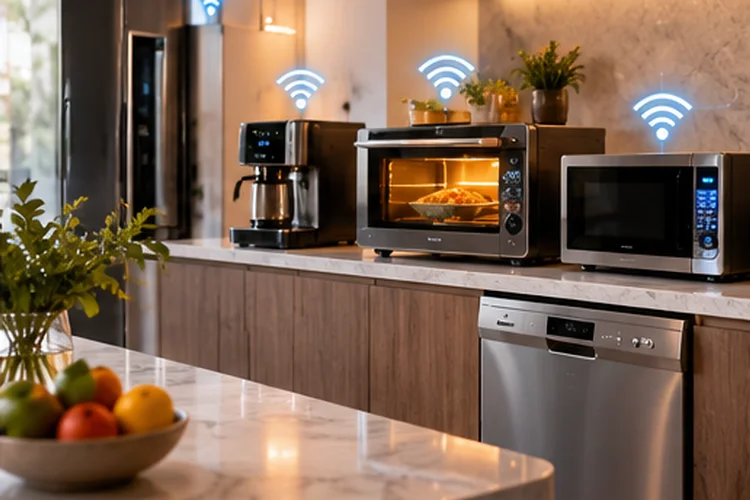
Your smart refrigerator probably does not need 500 Mbps. Neither does a connected oven, dishwasher, coffee machine, or microwave.
What these devices need is consistency.
A cloud-connected appliance may exchange only small amounts of data, but that connection needs to remain available for remote controls, notifications, energy monitoring, diagnostics, automation, and software updates.
If the Wi-Fi drops every few minutes, even a very fast internet plan will not make the smart features feel reliable.
That is why evaluating Wi-Fi reliability for cloud-connected kitchen appliances should focus less on maximum download speed and more on signal quality, network stability, compatibility, and cloud reachability.
Kitchen environments can be challenging for wireless networking. Large metal appliances, cabinets, walls, microwaves, and the physical location of the router can all influence connectivity.
LG, for example, states that its ThinQ appliances use 2.4 GHz Wi-Fi and recommends checking router distance when an appliance cannot maintain a connection. Samsung similarly relies on Wi-Fi connectivity for SmartThings refrigerator features such as remote monitoring and control.
Start by Checking the Appliance’s Wi-Fi Band
The first question is simple: which Wi-Fi frequencies does the appliance actually support?
Many smart kitchen appliances still rely on 2.4 GHz Wi-Fi.
That may seem old-fashioned when modern routers offer 5 GHz and 6 GHz, but it actually makes sense. Kitchen appliances normally need very little bandwidth, while 2.4 GHz provides longer range and generally penetrates obstacles better than higher-frequency bands.
LG currently states that its ThinQ-enabled appliances support the 2.4 GHz Wi-Fi band rather than 5 GHz. Its support documentation also recommends keeping the router reasonably close to the appliance during setup.
This can become confusing when a router uses one network name for multiple bands.
Band steering usually works well for phones and laptops, but some IoT appliances can struggle during onboarding or reconnecting.
If setup repeatedly fails, try temporarily creating a dedicated 2.4 GHz SSID. Once the appliance is connected and stable, you can decide whether to keep that seperate IoT network or return to a combined configuration.
Signal Strength Matters More Than Speed Tests
Running a speed test beside your router tells you very little about what a refrigerator experiences across the kitchen.
Instead, test Wi-Fi close to the appliance.
Use your phone in the same location and check whether the connection remains stable. Walk around the refrigerator or oven area and look for sudden drops in signal strength.
Large appliances contain plenty of metal, which can influence radio propagation. The refrigerator itself may also be positioned against a wall, surrounded by cabinetry, or located far from the main access point.
LG specifically recommends checking router proximity when ThinQ devices report connectivity problems.
Do not worry too much about whether the kitchen gets 400 Mbps instead of 700 Mbps.
For most smart appliances, a stable low-bandwidth connection is more useful than an extremely fast but intermitent one.
If the signal is weak, consider repositioning the router, adding an access point, or installing a properly placed mesh node.
Just remember that a mesh satellite also needs a strong upstream connection. Putting it directly inside the weakest dead zone does not magically solve the problem.
Watch for 2.4 GHz Interference in Busy Homes
The downside of 2.4 GHz is congestion.
It is used by Wi-Fi networks, Bluetooth devices, smart-home equipment, and various consumer electronics. In a dense apartment building, dozens of nearby routers may be competing for the same small amount of spectrum.
Kitchen environments can add another source of interference: microwave ovens operate around the same general 2.4 GHz spectrum.
That does not mean your microwave will disconnect every refrigerator, but interference can contribute to unreliable connections in an already weak network.
TP-Link recommends using less-congested 2.4 GHz channels and narrower channel widths when IoT devices experience unstable connectivity. Its current guidance also suggests disabling band steering as a troubleshooting step for some smart-home clients.
For IoT devices, a 20 MHz channel width can often be a sensible choice on 2.4 GHz.
The goal is not maximum theoretical throughput.
It is to create a clean enough radio environment that the appliance can exchange small packets reliably without constantly reconnecting.
Local Wi-Fi and Cloud Connectivity Are Different Things
An appliance can be connected to Wi-Fi and still appear offline in its mobile app.
This is an important distinction.
Once a smart appliance connects to your router, it usually needs to communicate with an external cloud service. Connected-device platforms commonly use secure messaging protocols such as MQTT or HTTPS to exchange commands and status information.
AWS IoT, for example, supports device-to-cloud communication through technologies including MQTT and WebSocket-based messaging. MQTT is specifically designed as a lightweight messaging protocol for constrained connected devices.
So when a smart oven or refrigerator appears offline, ask two seperate questions:
Can the appliance connect to the router?
Can it reach the manufacturer’s cloud service?
If the appliance appears in your router’s client list with a valid IP address but its app still says “offline,” the Wi-Fi radio may not be the problem.
DNS failures, internet outages, firewall rules, cloud-service downtime, account authentication, or manufacturer-side issues could be responsible instead.
This distinction prevents unnecessary router resets.
DHCP and DNS Can Quietly Break Smart Appliances
Smart appliances usually receive their local network settings automatically.
Your router’s DHCP server assigns an IP address, gateway, and other configuration. DNS then helps the appliance find the online services it needs.
When either process fails, connectivity can become confusing.
For example, a refrigerator might successfully authenticate to Wi-Fi but never receive usable internet access because DHCP failed.
Alternatively, it may receive a valid IP address but be unable to resolve the manufacturer’s cloud domains because DNS is broken.
If multiple cloud-connected appliances suddenly go offline at exactly the same time, this is an important clue.
Five unrelated appliances are unlikely to develop hardware failures simultaneously.
Check the router, WAN connection, DHCP status, and DNS service before resetting every appliance in your kitchen.
If only one device fails while everything else stays online, focus on that appliance’s signal strength, saved credentials, firmware, or account registration.
Patterns often reveal more than error messages.
Reconnection Behavior Is a Key Reliability Test
A reliable smart appliance should recover gracefully after normal network interruptions.
Try a controlled test.
Restart your router and observe what happens after Wi-Fi returns.
Does the appliance reconnect automatically within a few minutes?
Does it reappear in the manufacturer’s app without manual intervention?
Or do you have to enter pairing mode and configure the whole thing again?
That behavior matters because home networks do occasionally restart.
Firmware updates, short power outages, ISP interruptions, and router maintenance should not require you to manually reconnect every appliance afterward.
Samsung notes that SmartThings refrigerator features depend on Wi-Fi connectivity and account synchronization, while LG’s platform similarly relies on appliances being registered and connected through ThinQ.
Changing the Wi-Fi network name or password is different.
Because the appliance stores its credentials, an SSID or password change may require new provisioning.
If you have twenty smart-home devices, changing your Wi-Fi password can become a much larger project than expected.
Evaluate What Happens When the Cloud Is Offline
Reliability also means understanding what happens when internet access disappears.
A refrigerator should keep cooling.
An oven’s physical controls should still operate.
A dishwasher should continue cleaning dishes.
Cloud-connected features such as remote notifications, energy dashboards, app control, or diagnostic information may become unavailable, but the appliance’s essential function should not depend on a permanent cloud connection.
This is worth testing—or at least researching—before buying a premium smart appliance.
Ask whether important automations work locally or require the manufacturer’s servers.
Cloud dependency matters because your home Wi-Fi can be perfectly healthy while the manufacturer’s online service is unavailable.
Local interoperability standards such as Matter are helping move some smart-home functions toward more standardized local communication, although support still varies significantly between appliance categories and manufacturers.
The best connected kitchen is one where cloud services add convenience rather than becoming a requirement for basic functionality.
Security Is Part of Network Reliability
Security and reliability are closely connected.
A vulnerable router or poorly maintained IoT device can create problems far more serious than a missed refrigerator notification.
NIST notes that consumer smart-home devices often rely heavily on the home router to reach internet services, making router cybersecurity important to the integrity and availability of the entire network.
Keep the router and appliances updated whenever firmware updates are available.
Use WPA2 or WPA3 rather than obsolete wireless-security standards, and protect manufacturer accounts with unique passwords.
A dedicated IoT network can also be useful.
Separating kitchen appliances from laptops, NAS systems, and work computers limits how much of your local network an IoT product can reach.
Do not make isolation excessively strict, though.
Certain smart-home discovery and local-control functions may require communication between your phone, hub, and appliance. Test your configuraton before assuming maximum isolation is automatically the best setup.
How to Test Wi-Fi Reliability Before Blaming the Appliance
You do not need enterprise tools to perform a useful reliability test.
Start by checking Wi-Fi with a phone next to the appliance. Repeat the test at different times of day, especially when the network is busy.
Then watch whether the smart appliance remains visible in your router’s connected-device list.
Restart the router and confirm that the appliance reconnects by itself.
Next, test what happens when internet service is temporarily unavailable. Check which features remain functional locally and which disappear from the app.
If the appliance regularly fails, temporarily give it a clean 2.4 GHz network with simple WPA2/WPA3-compatible settings.
TP-Link’s IoT guidance specifically recommends testing 2.4 GHz without band steering and selecting less-congested channels when smart-home products experience connection instability.
These tests tell you much more than a single speed-test result.
Reliability means remaining reachable day after day – not hitting a huge Mbps number for thirty seconds.
Cloud-connected kitchen appliances do not demand huge amounts of bandwidth, but they do depend on stable networking.
A reliable setup starts with compatible 2.4 GHz Wi-Fi, adequate signal strength, clean channel conditions, working DHCP and DNS, and dependable internet access to the manufacturer’s cloud platform.
You should also test how appliances recover after router restarts and what features remain available during internet or cloud outages.
Security matters too, especially because appliances can stay connected for many years.
Before blaming your refrigerator or oven when an app reports it offline, identify which layer actually failed: the appliance’s Wi-Fi connection, your local network, the internet connection, or the cloud service.
Optimize that specific layer, and your smart kitchen will usually become much more dependable.