How Wi-Fi 6 OFDMA Improves Home Network Efficiency
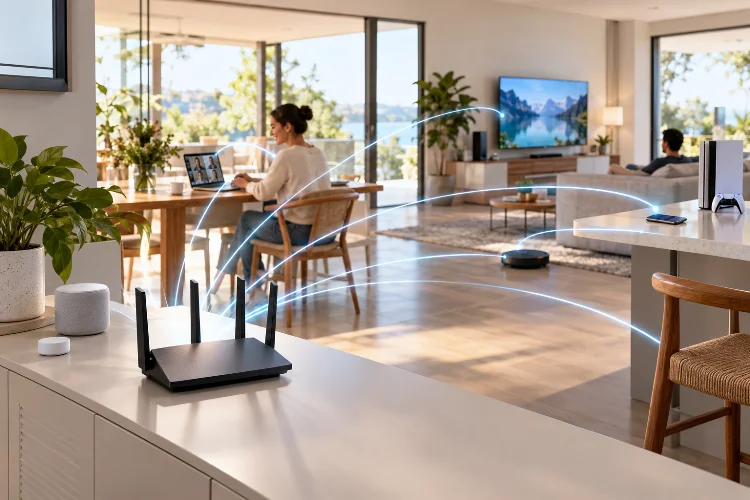
A modern home network has a lot more work to do than it did a few years ago. Your phone may be syncing photos while a smart TV streams 4K video, someone joins a video call, a game console downloads an update, and several smart-home devices quietly send data in the background.
The problem is not always your internet speed. Even a fast fiber connection can feel sluggish when too many devices compete for wireless airtime at the same moment.
This is one of the problems Wi-Fi 6 was designed to solve. Instead of focusing only on higher theoretical speeds, the Wi-Fi 6 standard, also known as IEEE 802.11ax, places a major emphasis on network efficiency in environments with many connected devices.
One of its most important technologies is Wi-Fi 6 OFDMA technology.
OFDMA allows a router to use its available wireless channel more intelligently, reducing wasted airtime and helping multiple devices communicate at the same time. The result can be a home network that feels faster, more responsive, and more stable even when everyone is online.
What Is OFDMA in Wi-Fi 6?
OFDMA stands for Orthogonal Frequency Division Multiple Access. The name sounds complicated, but the basic idea is surprisingly simple.
Older Wi-Fi networks generally give one device access to a wireless channel during a particular transmission opportunity. Even if that device only needs to send a small amount of information, it may temporarily occupy the entire available channel.
OFDMA changes this approach by dividing the wireless channel into smaller sections called Resource Units, or RUs. These smaller sections can then be assigned to different devices during the same transmission window.
Think of it like a delivery truck. Older Wi-Fi often sends one truck for one customer’s package. With OFDMA, the same truck can carry packages for several customers and deliver them during one trip.
That simple change can significantly improve wireless efficency when many devices are actively communicating. Cisco describes OFDMA as a way of dividing Wi-Fi channels into smaller frequency allocations so an access point can communicate with multiple clients simultaneously.
How OFDMA Uses Wi-Fi Channels More Efficiently
To understand why OFDMA matters, it helps to look at how wireless bandwidth is normally shared.
From One User at a Time to Multiple Users
With traditional OFDM-based Wi-Fi, a channel is made up of many subcarriers, but they are typically allocated to one client during a transmission. The next client waits for another opportunity.
Wi-Fi 6 can instead group subcarriers into Resource Units and assign those RUs to seperate devices. The router therefore does not have to waste a large channel sending a tiny packet to only one device.
IEEE material on 802.11ax explains that OFDMA enables multiple-user communication by dividing available frequency resources into smaller units. In practical terms, this allows a router to make better use of the spectrum it already has rather than simply demanding wider channels.
Uplink and Downlink Communication
The technology is useful in both directions.
Downlink OFDMA lets the router send information to several compatible clients during the same scheduled transmission. Uplink OFDMA can coordinate transmissions coming from multiple devices toward the router.
That becomes especially useful in homes filled with devices that constantly send small packets, including security cameras, smart speakers, phones, laptops, sensors, and IoT equipment.
Why OFDMA Matters in a Busy Home
Imagine a family of four using the network at night. One person is watching Netflix, another is gaming, someone else is on a Zoom call, and several smartphones are browsing social media.
Meanwhile, the smart doorbell, thermostat, security cameras, voice assistants, and connected appliances are also exchanging data.
Each device may not need huge amounts of bandwidth, but they all need opportunities to communicate.
Without efficient scheduling, these devices spend more time waiting for access to the wireless channel. That waiting can increase latency and create the impression that Wi-Fi is unstable.
With OFDMA, several devices can be scheduled within the same transmission opportunity. Small data requests no longer need to consume an entire channel individually.
This does not magically increase your ISP connection from 300 Mbps to 1 Gbps. Instead, it makes better use of the wireless capacity you already have, which is often more valuable in a crowded household.
Lower Latency Can Matter More Than Higher Speed
People often judge Wi-Fi by running a speed test, but raw download speed tells only part of the story.
Latency is just as important for interactive applications. Video calls, online games, cloud services, voice communication, and web browsing all benefit when packets can move without spending too much time waiting in a queue.
Research published through IEEE found that OFDMA could reduce median latency from around 5 milliseconds to below 1 millisecond under certain non-saturated test conditions.
The same research also showed throughput improvements in specific high-load scenarios. Real-world results naturally depend on hardware, network configuration, signal quality, and traffic patterns.
This is why a Wi-Fi 6 network may feel more responsive even when its speed-test result is not dramatically different from Wi-Fi 5.
Less waiting and more efficient scheduling can improve the experience during congeston, especially when many clients are sending relatively small packets.
OFDMA vs. MU-MIMO: They Are Not the Same Thing
OFDMA is sometimes confused with MU-MIMO because both technologies allow a Wi-Fi network to work with multiple devices more efficiently.
However, they solve the problem differently.
OFDMA divides a wireless channel into smaller frequency-based Resource Units. MU-MIMO, or Multi-User Multiple Input Multiple Output, uses multiple spatial streams to communicate with multiple devices.
A simple way to think about it is that OFDMA divides the frequency resources, while MU-MIMO makes better use of the router’s spatial resources and antennas.
They can complement each other rather than compete.
OFDMA is particularly useful when many clients are transmitting smaller amounts of data. MU-MIMO can be valuable when multiple capable devices need larger data transfers at the same time.
Wi-Fi 6 combines these technologies with features such as BSS Coloring, 1024-QAM, beamforming, and Target Wake Time to improve overall capacity and network behavior.
When Will You Actually Notice the Difference?
OFDMA does not automatically make every Wi-Fi connection noticeably faster.
If you live alone with one laptop connected to the router, switching from Wi-Fi 5 to Wi-Fi 6 may not create a huge improvement from OFDMA alone. There simply are not enough simultaneous devices for its multi-user scheduling advantages to become obvious.
The benefits become more noticeable as the number of active clients increases.
A household with smartphones, televisions, smart speakers, surveillance cameras, laptops, tablets, game consoles, smart plugs, and other IoT devices gives OFDMA many more opportunities to improve airtime usage.
It is also worth remembering that compatible devices matter. A Wi-Fi 6 router can still support older Wi-Fi clients, but you need Wi-Fi 6-capable clients to fully take advantage of Wi-Fi 6 features.
Router implementation matters too. Scheduling algorithms, firmware quality, radio design, channel selection, signal strength, interference, and client behavior can all affect results. OFDMA is a tool available to the network – it is not a guarantee that every router will perform identically.
In some situations, you might barely notice it during a single large download but appreciate it much more when twenty devices are occassionally exchanging data at once.
Should You Upgrade to a Wi-Fi 6 Router for OFDMA?
If your existing router works well and your household only uses a handful of devices, upgrading specifically for OFDMA probably is not urgent.
However, Wi-Fi 6 becomes much more attractive for homes where wireless congestion is becoming a regular problem.
If video calls become unstable whenever someone starts streaming, smart devices are multiplying every year, or your router struggles during busy evenings, a Wi-Fi 6 router can provide more efficient handling of simultaneous traffic.
Keep in mind that router placement still matters. Even the best Wi-Fi 6 equipment cannot completely compensate for thick concrete walls, severe interference, poor placement, or devices located far beyond the router’s practical coverage area.
For larger homes, a properly designed Wi-Fi 6 mesh network may provide a greater improvement than simply replacing an older router with a more expensive single access point.
Wi-Fi 6 OFDMA technology is less about chasing a spectacular top-speed number and more about making wireless networking smarter.
By dividing Wi-Fi channels into smaller Resource Units, OFDMA allows multiple compatible devices to send or receive data within the same transmission opportunity.
This reduces unnecessary waiting, improves airtime utilization, and can lower latency when many devices compete for access.
That makes the technology particularly valuable in modern homes filled with phones, laptops, TVs, cameras, game consoles, and connected appliances.
If your network regularly feels slow despite having a fast internet connection, look beyond Mbps numbers. Check how many devices are competing for Wi-Fi, where your router is located, and whether upgrading to Wi-Fi 6 could improve the way your network handles them.
A faster internet plan is useful – but sometimes a smarter wireless network makes the bigger difference.
Related Articles